
 Afiya Jafar
Technology & Digital Trends Writer
Afiya Jafar is a technology writer with
5+ years of experience covering technology,
digital trends, artificial intelligence,
software, gadgets, cybersecurity and
emerging technologies.
View Author Profile →
Afiya Jafar
Technology & Digital Trends Writer
Afiya Jafar is a technology writer with
5+ years of experience covering technology,
digital trends, artificial intelligence,
software, gadgets, cybersecurity and
emerging technologies.
View Author Profile →
 Sameena Begum
Technology & Digital Content Reviewer
Sameena Begum is a **technology and digital content reviewer** who reviews selected articles to help ensure that information is presented clearly, accurately, and responsibly.
View Reviewer Profile →
Sameena Begum
Technology & Digital Content Reviewer
Sameena Begum is a **technology and digital content reviewer** who reviews selected articles to help ensure that information is presented clearly, accurately, and responsibly.
View Reviewer Profile →
AirPods
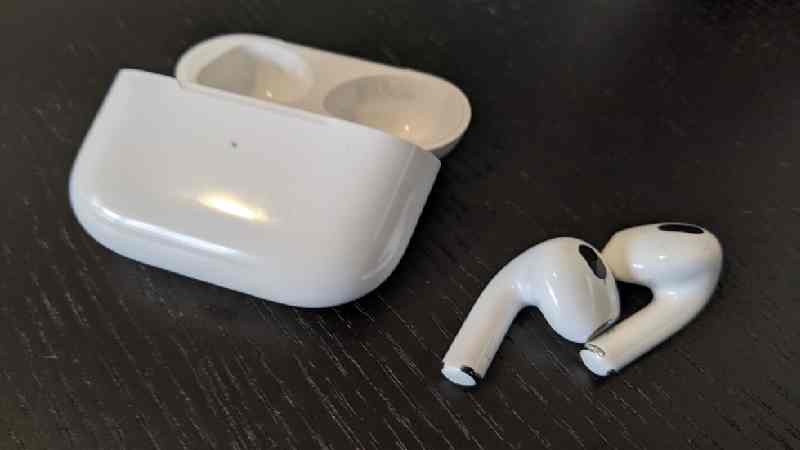
If you were among the early users of Apple’s AirPods Pro. Apple did well by making us believe that all our apple devices can connect easily and AirPods Pro’s new style plus excellent noise cancellation made the decision easy. My AirPods Pro are just two years old, so I am sorry they won’t turn three. I’ve noticed a very annoying rattle inside the right earbud in the last few days.
This rattle or crackling in one ear generally overcomes any still-audible sound. Tapping on the earbuds makes it much louder as if something has come off inside, clattering about. In search of a remedy for this, I deeply researched static in it and identified some recommended solutions.
What to do first: iOS Update?
The first thing you should do is to upgrade your iOS firmware. I’m not sure why the firmware would be causing what sounds like an audible rattle, but that was one of the first things Apple recommended I do to resolve my concerns with my AirPods Pro. Unfortunately, though – probably as you suspected when it happened – doing a software update didn’t help. The following solution is a hard reset on the Apple AirPods Pro.
While AirPods are designed primarily for personal audio, those looking for a device for longer-range communication may also want to explore walkie-talkies and how they compare with modern wireless accessories.
Resetting Apple AirPods Pro
Place your AirPods inside their charging case and close the cover.
Wait 30 seconds.
Click on the lid of your charging case.
On your iPhone, iPod touch, or iPad, head to Settings > Bluetooth and tap the More Info button next to your AirPods. If you can’t find your AirPods in Settings > Bluetooth, skip to the next step.
Press Forget This Device, and press again to confirm.
Pro for a thorough cleaning.
I then came across some chat boards that deal with it cracking and recommend using sticky tape to clean anything that might be a potential obstruction for the tiny, almost invisible grills on it . My results use tape to press and release over the grills in hopes of removing any dust or debris: Nada.
To take things further, I attempted to clean it using cotton swabs and a touch of isopropyl alcohol. It proved ineffective as well.
How to clean AirPods Pro with compressed air: use with caution
I blew them out with an air compressor on the last and most desperate curve.
Plenty of websites will tell you using compressed air on your [AirPods] Pro is a dangerous game because it could blast something loose inside (that’ audiences not already free, those), so only use this as a last resort.
Your [AirPods] have three vents or little grills that may remain blocked with something. Blow them out indirectly and gently. Blow it through instead of directly into the grill using a can of compressed air.
AUTHOR
Afiya Jafar is a technology writer with 5+ years of experience covering artificial intelligence, software, applications, gadgets, cybersecurity, cloud computing, internet technologies and emerging technology trends.
AUTHOR PROFILE →
REVIEWER
Sameena Begum is a **technology and digital content reviewer** who reviews selected articles to help ensure that information is presented clearly, accurately, and responsibly.
REVIEWER PROFILE →