
 Afiya Jafar
Technology & Digital Trends Writer
Afiya Jafar is a technology writer with
5+ years of experience covering technology,
digital trends, artificial intelligence,
software, gadgets, cybersecurity and
emerging technologies.
View Author Profile →
 Sameena Begum
Technology & Digital Content Reviewer
Sameena Begum is a **technology and digital content reviewer** who reviews selected articles to help ensure that information is presented clearly, accurately, and responsibly.
View Reviewer Profile →
It’s always the worst possible time – you’re in the middle of printing out a report for school, working on something for work, or trying to get a project finished up – and the printer suddenly refuses to work. Buying replacement ink cartridges fixes the problem, but it can also be a little maddening – especially if you do a lot of colour printing.
HP Instant Ink tackles this problem in a different way. Rather than just buying replacement cartridges whenever your ink is nearly gone, it is handled by a subscription plan according to your actual page volume. Your inkjet printer keeps an eye on your cartridge’s levels and can even order new ones when they’re low.
What could be easier: Sign up for a monthly page limit, print what you want, and let HP worry about restocking ink. But there are some caveats worth knowing before you commit, the biggest being that a page-based subscription might not match your printing habits and that you may have a tough time estimating whether you’re saving money just by looking at the published monthly fee.
What Is HP Instant Ink?
HPSimply your printing with ink Subscription HP Instant Ink is a subscription service for eligible HP printers. Instead of buying ink or toner cartridges, you subscribe to a plan that provides a specified number of pages per month.
Printers’ supplies level is tracked via the Internet by HP. When the printer reports running low on ink or toner, HP will ship you a replacement. (Typically you won’t receive a cartridge every month, but whenever your printer reports that supplies are low and you have an active subscription).
The important distinction is that HP computes your subscription based on the pages printed, not the amount of ink used on each page.
For example, you print two pages. One has a paragraph of text in black, the other is a full page colour photo. With page-based printing, both are one printed page. The photograph isn’t using up a bigger amount of your allowance because it consumes more ink.
This can be handy if you frequently print out photographs, colourful school projects, presentations, invites and the like. It might be less appealing if your primary output is for a few pages of photocopied black and white text.
How Does HP Instant Ink Work?
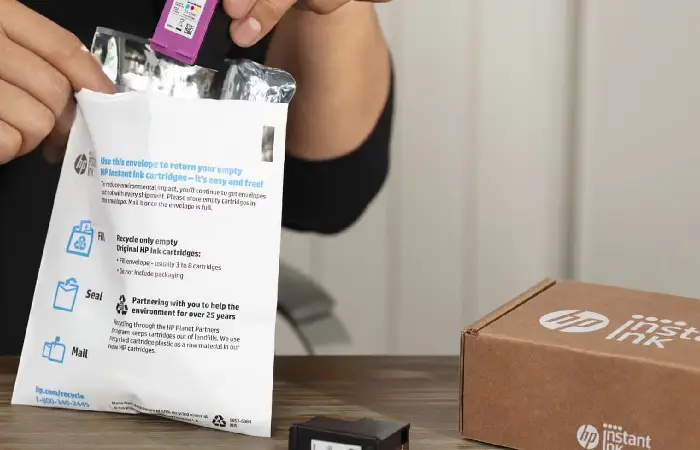
The service is meant to run in the background. Once you sign up, there’s usually no need to monitor your ink levels and re-order new cartridges when your ink runs out.
What happens during regular operation.
Choose a monthly page plan
First, determine if your printer qualifies. If it does, head over to HP’s Instant Ink site and choose a plan that matches your typical print frequency.
In the current offering in US, a plan will be 10 pages/month, 50 pages/month, 100 pages/month, 300 pages/month and 700 pages/month. There may be different options and prices in other markets.
It can be helpful to review your actual printing behavior before selecting a plan. While it might seem prudent to select the smallest package because it is the lowest-priced listed option, that may not be the most economical if your usage regularly exceeds that limit.
Connect your printer to the internet
Printer is Connected to the Internet Your printer must have an active internet connection with HP. The Service must be able to see how much supplies are left and calculate page counter usage.
That’s the important bit. Instant Ink isn’t just a box of cheap cartridges arriving at your house. Your connected printer is part of the subscription.
If your printer frequently disconnects from Wi-Fi, you should resolve that issue before relying on automatic deliveries.
Install the subscription cartridges
Following the sign up, HP will send the cartridges available for the Instant Ink programme. Put them in your printer as per guidelines included in the printing device.
These cartridges are not typical retail cartridges. They are linked to your current subscription and designed to operate as long as your service is active.
Print as usual
After installation, you’ll be able to print documents, images, and other printables to your plan allotment.
Your printer lets HP know your pages. When your ink gets low, HP uses that information to help ship you a new supply.
The delivery interval will be based on your usage, and the level of ink in the cartridges so your deliveries may not be monthly. If you use very little, you may not receive a replacement for some time.
Return used cartridges
Cartridge recycling HP offers a recycling programme in some markets. Depending on the programme and the type of cartridge, it can be a prepaid envelope or different methods of return.
It is a good convenience but recycling scheme is not the same in every country.
HP Instant Ink Plans and Pricing in 2026
HP’s US website currently lists monthly, yearly, and Pay As You Print options for eligible customers. The monthly plans are based on page allowances rather than cartridge quantities.
The following figures are from HP’s US plan page and are shown in US dollars. They should not be treated as Indian prices or converted into a local subscription price.
| US monthly plan | Advertised monthly price | Monthly page allowance |
| Light printing | $1.99 | 10 pages |
| Occasional printing | $5.99 | 50 pages |
| Home printing | $8.49 | 100 pages |
| Frequent printing | $16.99 | 300 pages |
| Small business | $32.99 | 700 pages |
HP also lists annual plans in the United States:
| US yearly plan | Advertised yearly price | Annual page allowance |
| Light printing | $20.99 | 120 pages |
| Occasional printing | $63.99 | 600 pages |
| Home printing | $90.99 | 1,200 pages |
| Frequent printing | $182.99 | 3,600 pages |
| Small business | $355.99 | 8,400 pages |
Monthly options are worth looking into if your printing volume is reasonably consistent. But don’t assume that an annual plan functions the same way a monthly plan does. According to HP’s US terms, you don’t get to roll over your unused pages from one year to the next.
Pay As You Print in the US Print from the HP subscription US page. There are various current page-set options of 20 pages for $5.49 or 75 pages for $19.99. These page-sets are shown as another option for those who prefer not to take out a monthly plan. Verify conditions and expiry of these various page-sets.
Prices, plan names, promotional offers, taxes and availability are subject to change. Always verify the plan shown for your printer and country when enrolling.
Is HP Instant Ink available in India?
And this is a relevant question for Indian readers, as HP has separate regional websites and subscription schemes, and service that is provided in US or UK should not be assumed to work in India.
The prices here are US prices and not an India price list. Before you decide, visit the official Instant Ink website of HP for your region and search your exact printer model. If you don’t see the service listed as an option for your region, then you should not assume your printing costs will be based on it.
French-speaking Indian customers not able to enroll could also compare any original HP cartridges, compatible printer supplies where available, and HP Smart Tank printers. If you do lots of printing, then an ink-tank model might make more sense financially.
How HP Instant Ink Counts Printed Pages
The page-counting system may be the most critical aspect of the subscription to understand. It will tell you how quickly you use your allowance and whether you are getting good value.
Based on the printer page count, Hp will usually count a page each time printing is done on it. The usage of ink does not help to determine the pages.
Consider these examples:
- One page of a document has one short sentence.
- Each full page colour photograph is one page.
- A page filled with some text, graphics and pictures constitute one page.
- A printed page with only a small logo still counts as one page.
- When you print on both sides of a sheet, it is considered two pages for the ink or toner plan.
That final tip may take some by surprise. Although a two-sided document may occupy only one physical sheet of paper, it will cost two pages off your subscription account.
And this is also why the service might appeal to photographers and those printing colourful documents. A page of high-ink photograph, for instance, takes up the same amount of plan pages as a simple text document.
However, the reverse is true for people who mostly print short documents. A page with a single line of text uses the same allowance as a page filled with colour.
What Are Rollover Pages?
They enable any monthly credits which aren’t used immediately to rollover.
What if I didn’t use all of my pages? Let’s say your plan has 50 pages/month, but you only print 30 pages. The other 20 pages will rollover to your plan, up to the rollover limit.
Once you have those pages in the bank, you can bring them to a busier month.
According to HP’s US consumer terms, unused pages on monthly ink plans will roll over up to three times your monthly page allowance. Toner plan pages have a cap at twice the monthly allotment.
Examples could be a customer with a 50-page monthly ink plan may have up to 150 rollover pages. The monthly plan pages is in addition to that, so the total pages available at the beginning of a month could be greater than 50 pages.
It’s not a free-for-all, though. Rollover isn’t bottomless. If you’re consistently printing below what your plan allows, you’ll eventually hit the balance cap, and any extra pages you didn’t use before that will go to waste.
This is something to consider before settling on a plan. A plan may appear to be well-balanced, but it could turn out to be less practical if you typically don’t use most of what it offers.
What Happens If You Print More Than Your Plan Allows?
You don’t always lose your printing capability once you do that each month. HP has options for additional pages; those pages, though, may drive up your bill.
The service typically deducts pages from your current months pages plus any rollover amount first. After these pages are used the additional set of pages will be charged to your account.
The availability and cost of each additional set will vary based on your plan and your region. Please refer to your HP Instant Ink account for this information, instead of an old review price quoted online.
Something like this…
What if you had a 50 page plan and you have 20 rollover pages? You now have 70 pages to work with in that time frame. You can print 80 pages and you would have gone 10 pages over the balance and could be billed for a further pageset.
Page overages Monthly page overage charges can rack up and be more expensive than upgrading to a higher plan if you frequently go over your allowance.
The reverse also warrants consideration. If you don’t use the entire allowance, you may want to reduce plan to a lower priced account. According to HP, plan modifications can be made through your account dashboard. Downgrades are usually applied from the next billing cycle.
Is HP Instant Ink Actually Worth It?
There isn’t a definitive answer because the value depends on what you are printing, how frequently you print, and what other options you have for your printer.
It does not necessarily mean the service is cheaper simply because its teaser price is cheap. A good comparison would have to take into account your printing volume over the year and the cost of buying cartridges separately.
When HP Instant Ink can make sense
Go for it if you print a lot and don’t want to buy cartridges for yourself.
This is also very attractive for those who print colour images, projects, school work and presentations. As the plan is also based on pages instead of ink usage, a colour heavy page does not burn more credits than a black and white page.
Another real advantage is in “automatic delivery”. No need to memorize the model of the cartridge, compare a seller with another or rush to make an emergency purchase when you run out of ink in the printer.
That sort of predictability makes sense for a small home office. You are aware of the basic subscription price and can keep track of the number of pages instead of estimating how much ink you have in each cartridge.
When it may not be worth the money
If you only print a few docs at a time every few months, you probably don’t need an ongoing subscription. Even a small fee every month can add up over a year.
For someone who only occasionally prints short colour documents, this could also be poor value. A page of a few lines is treated in exactly the same way as an entire colour photo – light text printing won’t get the best value from the allowance.
A third factor is printer selection. If you’ve got an HP Smart Tank printers, possibly you have a cheaper ink plan through refill bottles. Simply a page subscription isn’t always the perfect choice for this form of printer.
And lastly, having to leave the printer online and connected to the internet may be problematic for those who want a standalone printer that does not require an account.
HP Instant Ink vs. Buying Cartridges
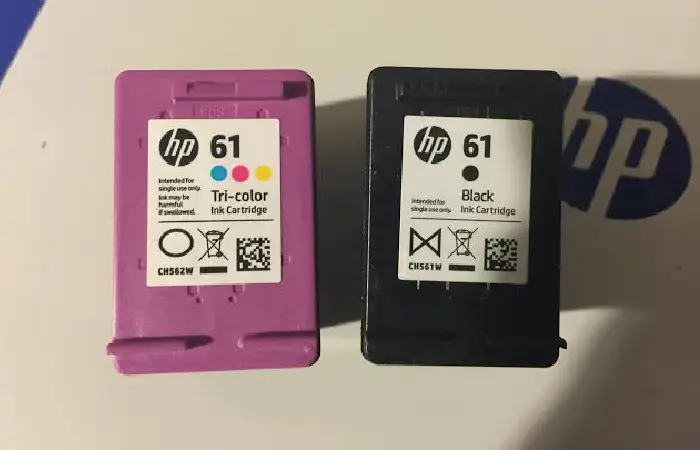
Traditional cartridge purchasing gives you more control over when you buy ink. You pay for a replacement cartridge when you need one rather than paying a monthly fee.
This might be a more suitable option for users who have more erratic or minimal printing needs. If you only print from time to time, you might find it more cost-effective to purchase a single cartridge and make use of it before renewing your subscription.
There are some advantages to using Instant Ink that are not shared by the other service. There is a page quota for which you are billed, and HP delivers replacements when supplies run low.
| Comparison | Traditional cartridges | HP Instant Ink |
| Payment | Pay when purchasing cartridges | Subscription or eligible page-set option |
| Ink delivery | You order or buy replacements | Automatic when supplies run low |
| Page allowance | No subscription page allowance | Based on selected plan |
| Colour and black-and-white | Ink use affects cartridge life | Counted by page |
| Internet connection | Not normally required | Required for service participation |
| Cartridge choice | Depends on printer compatibility | Subscription cartridges while enrolled |
| Best suited to | Occasional or irregular printing | Regular, predictable printing |
The right choice depends on your real usage rather than the advertised cost of either option.
For a fair comparison, calculate how much you spend on cartridges over a full year. Then compare that amount with 12 months of subscription fees, including any additional-page charges. Remember to compare like with like: the cartridge yield, print quality, and type of documents matter.
HP Instant Ink vs. Ink Tank Printers
An ink-tank printer is a must-have for those who print a lot.
Refillable ink In ink-tank printers, the ink is contained in refillable tanks, not traditional cartridges. When the ink runs out, you buy bottles of ink and refill yourself.
While the printer itself may be more expensive than an entry-level cartridge model, the cost of printing is significantly reduced. For households, students and small businesses that print a lot, this can be a difference-maker.
HP’s Smart Tank range is one example of this approach. Other manufacturers, including Epson and Canon, also sell refillable ink-tank printers.
Where do the costs come from? Perhaps the biggest difference is how you pay for your supplies. With Instant Ink the costs are divided across a subscription, with an ink-tank printer, you purchase bottles on an as needed basis.
| Feature | HP Instant Ink | Ink tank printer |
| Supply type | Subscription cartridges or toner | Refillable ink bottles |
| Payment structure | Page-based plan | Pay for ink bottles |
| Automatic delivery | Available through the service | Usually not included |
| Internet requirement for ink supply | Required for Instant Ink | Not normally required |
| Best use case | Regular printing with predictable volume | Frequent printing and low running costs |
| Main consideration | Subscription rules and page limits | Higher initial printer cost |
You print hundreds of pages every month: What is the total cost of ownership over 2 or 3 years? The cost of the printer is obviously a factor, but the cost of ink is important too.
Even if you don’t print very much, a cheap ink cartridge printer could still be the more practical option. It’s not always cost-effective to purchase a more expensive tank printer just to lower the cost of ink.
HP Instant Ink and HP+: What Is the Difference?
Both HP Instant Ink and HP+ are services offered by HP, but they are not identical.
Instant Ink is a monthly ink or toner subscription. When your printer detects ink or toner is low, you’ll be sent a new supply based on the page plan you selected.
What is HP+? HP+ is an optional cloud printing subscription that can come with some eligible HP printers. It may include connected features and extra benefits of service, but has specific requirements.
Here is one detail to pay attention to: HP+ might not let you use any third-party inks, nor even your recycled or remanufactured Original HP cartridges for the life of the HP+ eligible printer.
Just because your printer offers Instant Ink, it doesn’t mean you have to sign up for HP+ and vice versa. Make sure to read the HP+ and Instant Ink terms during setup before accepting either.
Before you turn on HP+ learn about the HP+ requirements and determine whether you can meet those requirements if you want the flexibility to use other third-party cartridges that are HP+ compatible in the space where your printer is currently capable of turning on HP+. You may not be able to revert.
How to Sign Up for HP Instant Ink
If your printer and location are eligible, enrolment is generally straightforward.
Start by checking the exact model number of your printer. Do not rely only on the brand name or assume that every HP wireless printer supports the programme.
Next, visit HP’s official Instant Ink website for your country. Check the available plans, the monthly fee, any trial offer, and the terms that apply to your printer.
You will generally need:
- An eligible HP printer.
- A working internet connection for the printer.
- An HP account and valid email address.
- A supported payment method.
- A shipping address in a participating region.
Follow the enrolment instructions and select the plan that best matches your normal printing habits. If HP provides subscription cartridges, install them using the instructions for your printer.
When your printer is installed and your subscription is active, you can view your page usage and account details using online account tools.
A trial offer might be helpful, however if a time limit is provided, make sure to see. Some of those offers turn into a paid from subscription unless you cancel before the time is up.
Final Verdict: Should You Choose HP Instant Ink in 2026?
The challenge with HP Instant Ink is replacing ink. Automatic ink delivery, page-based charging and printing in colour or black & white using the same monthly subscription go a long way towards making the service hassle free, if it suits the customer.
However, convenience doesn’t necessarily mean more cost-effective.
If, for example, you print colour photographs, school projects, presentations and documents all month long, a subscription could be a good deal when compared to multiple original cartridge replacements. It may also help to simplify supply logistics for a small home office.
If you print a lot of color or a very little black ink and have a less-expensive ink-tank printer that you love, the subscription may not be a good value. The subscription has many limitations that should be carefully evaluated.
Before signing up, check three things: whether your printer is eligible, whether the service is offered in your country, and how many pages you realistically print each month. Then compare the annual subscription cost with the cost of your current printing method.
That calculation is going to reveal far more than the listing price.
AUTHOR
Afiya Jafar is a technology writer with 5+ years of experience covering artificial intelligence, software, applications, gadgets, cybersecurity, cloud computing, internet technologies and emerging technology trends.
AUTHOR PROFILE →
REVIEWER
Sameena Begum is a **technology and digital content reviewer** who reviews selected articles to help ensure that information is presented clearly, accurately, and responsibly.
REVIEWER PROFILE →