
 Afiya Jafar
Technology & Digital Trends Writer
Afiya Jafar is a technology writer with
5+ years of experience covering technology,
digital trends, artificial intelligence,
software, gadgets, cybersecurity and
emerging technologies.
View Author Profile →
 Sameena Begum
Technology & Digital Content Reviewer
Sameena Begum is a **technology and digital content reviewer** who reviews selected articles to help ensure that information is presented clearly, accurately, and responsibly.
View Reviewer Profile →
If you’ve never been in the middle of a critical document printing when your printer notifies you that you’re out of ink, then you know how frustrating it can be. How Does HP Instant Ink Work is the most commonly asked question of anyone looking for an easier, more convenient way to manage printer ink. How Does HP Instant Ink Work HP Instant Ink addresses this issue by creating a subscription plan that monitors your suitable printers and automatically sends you a new supply of ink or toner as needed.
Instead of purchasing ink cartridges once they are empty, subscribers select a printing plan based on the estimated pages that they will print each month. The subscriber pays a set monthly fee based on the content pages they expect to print and HP manages cartridge delivery.
But it is different than the way most people buy ink. Learning the factors that affect page limits, delivery and subscription requirements can determine whether this service is right for you.
What Is HP Instant Ink?
Print with the HP Ink Subscription Service. HP Instant Ink is a print subscription service available for eligible HP printers.
The main difference is how customers pay for it. Classic cartridge buying charges you for the cartridge, while Instant Ink usually charges you by the number of pages in your plan.
For instance, someone who documents, school work and a few photos here and there might select a plan that handles the amount they typically print per month.
The subscription can include:
- Automatic ink or toner refilling.
- A fixed amount of pages per month.
- Limitations apply to rollover pages.
- Extra page purchases when allowances met.
- Cartridge recycling choices available in areas we serve.
The crucial thing is that you are actually purchasing printed pages, not ink.
How Does HP Instant Ink Work Step by Step?
It does not get any simpler than this.
Check printer compatibility and register
First, determine if your HP printer is capable of Instant Ink. Please note that not all HP printers qualify.
What do I need in order to join the programme? To participate in the programme, you will need a qualifying printer, an HP account, an email address, an active method of payment and internet-connected printer.
After confirming compatibility, sign up on the HP Instant Ink website and pick a plan that is available.
Choose a monthly printing plan
You can choose HP plans according to the expected number of pages you’ll print.
The provided allowances and costs are determined by your country and subscription level. Selecting the right plan is important because you can incur extra charges if you go over your allowance.
As a general rule, it is best to check your past printing history instead of choosing a plan based on how much ink you expect to use.
Your printer monitors ink levels
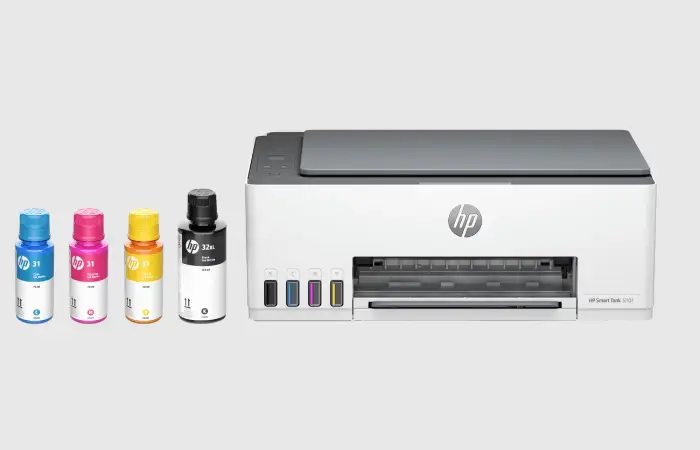
When you sign up, your compatible printer transmits information to HP over the internet.
It displays relevant details such as ink levels and printing activity. HP uses such data to identify when replacement supplies are required.
So in some cases you may not have cartridges sent out to you every single month. If your current refill has enough left in it, they will just not send out the next refill.
HP automatically delivers replacement cartridges
HP sends a replacement when the printer shows a message that ink or toner is about to run out.
You load the new subscription cartridge and again you print.
The benefit is convenience: you won’t have to remember to check on cartridges or place an order each time ink begins to run low.
Your monthly subscription is billed
Your subscription charge is determined by the amount of page allowance you have chosen, not the number of cartridges you receive.
Usual subscription rate will be the same, even if you take one or multiple shipments within a billing period. Additional page fees will apply if you go over your available page limit.
How HP Instant Ink Counts Printed Pages
This is one of the most important parts of understanding the service.
HP Instant Ink counts printed pages rather than measuring how much ink each document consumes.
For example:
| Printing activity | Pages counted |
| One black-and-white document | 1 |
| One full-color photograph | 1 |
| One page containing a small amount of text | 1 |
| One double-sided sheet | 2 |
A complete color picture and a plain text page can take up the exact same amount of space.
Example: You’ve got a plan for 50 pages a month. And You’ve used 35 pages. You get to use the other 15 pages you had left from last month in this month depending on your plan’s rollover limit.
HP will bill you for additional page blocks, depending on your plan, if you print more than your monthly allotment of pages and available rollover.
Which is why it’s good practice to check the document history on your printer especially if you often print out photos or documents that go on for miles.
Does HP Instant Ink Need Internet?
Yes. You will need internet connection.
Printer communication Your printer communicates with HP so the service can track ink levels, notify us of printing activity and order replacement supplies.
Is it OK to change the ink in my Canon printer?
Check that your printer is connected successfully before subscribing, and ensure that your HP account and payment details are current.
How Much Does HP Instant Ink Cost?
The cost depends on the selected plan, country and available subscription options.
For example, HP’s US website currently lists the following monthly plans:
| Monthly allowance | Advertised US price |
| 10 pages | $1.99 |
| 50 pages | $5.99 |
| 100 pages | $8.49 |
| 300 pages | $16.99 |
| 700 pages | $32.99 |
Prices checked in November 2026. These are US prices, not universal rates. Taxes, promotions and plan availability may vary.
You should also consider additional-page charges when comparing plans. A subscription that looks inexpensive initially may cost more if you regularly exceed its allowance.
What Happens If You Don’t Use All Your Pages?
Additionally, HP offers a rollover feature that enables subscribers to keep up with unused pages for future use.
Suppose your plan is 100 pages/month:
- You print 60 pages by the end of the first month.
- Remaining 40 pages are rollover pages.
- At this point you can begin to use your new allowance and any eligible saved pages during the next month.
But rollover balances are capped. For ink monthly plans, HP has stated up to three times the monthly page allowance at present.
That means, unused pages don’t just fill up all the way.
Is HP Instant Ink Better Than Buying Regular Cartridges?
Neither option is automatically better. Your printing habits determine which makes more financial sense.
| Feature | Regular cartridges | HP Instant Ink |
| Payment | Pay when purchasing | Subscription-based |
| Ink delivery | Purchased separately | Automatic |
| Page limits | No subscription page allowance | Based on selected plan |
| Internet requirement | Not required for ordinary cartridge purchases | Required for subscription operation |
| Unused pages | Not applicable | Eligible for rollover |
| Cartridge availability | Compatible standard cartridges | Subscription cartridges |
| Best suited for | Occasional or irregular printing | Regular, predictable printing |
HP Instant Ink might be right for you if you print often, frequently print color pages or photos, and want hassle-free cartridge delivery.
Standard Cartridges You may find that regular cartridges are the best option for you if you: Don’t print very often. Would prefer to get rid of additional monthly payments.
One more consideration is regional availability. HP’s currently published supported-country information does not list India among its supported Instant Ink markets. Indian readers should check the country selector on HP’s official website before planning to subscribe.
Common HP Instant Ink Problems and Their Solutions
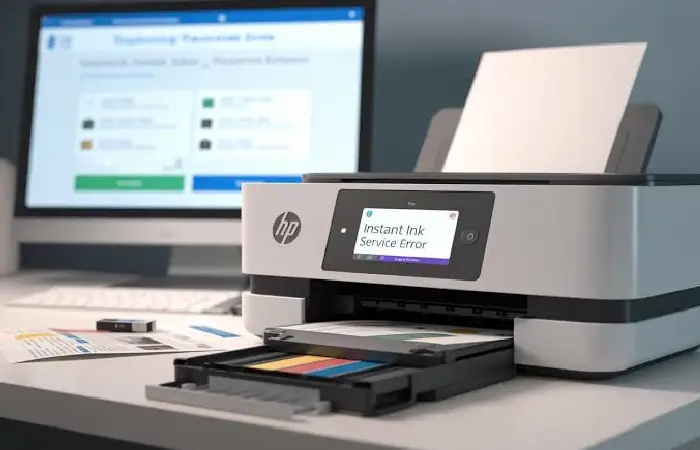
Even though the service automates cartridge replacement, some issues can interrupt normal printing.
| Common problem | Possible solution |
| Printer is offline | Restore its internet connection and check Wi-Fi settings. |
| Replacement ink has not arrived | Check shipment tracking in your HP account. |
| Cartridge is not recognized | Confirm that the printer is enrolled and the cartridge belongs to the correct subscription. |
| Unexpected additional charges | Review printed pages, rollover balance and extra-page purchases. |
| Printer stops working after cancellation | Install compatible regular cartridges after the subscription period ends. |
Final Thoughts
Buy by Cartridge Offset the Cost of Ink Monthly Subscription HP Instant Ink changes the way consumers buy and use ink. For a monthly fee customers will pay per page they print not per cartridge they use up.
The main advantage to using online printing is that it is very fast and simple to use, and you can have your pages automatically sent to you along with any pages that you do not use up within the month. But they also need to take into account the internet connection and location.
AUTHOR
Afiya Jafar is a technology writer with 5+ years of experience covering artificial intelligence, software, applications, gadgets, cybersecurity, cloud computing, internet technologies and emerging technology trends.
AUTHOR PROFILE →
REVIEWER
Sameena Begum is a **technology and digital content reviewer** who reviews selected articles to help ensure that information is presented clearly, accurately, and responsibly.
REVIEWER PROFILE →