
 Afiya Jafar
Technology & Digital Trends Writer
Afiya Jafar is a technology writer with
5+ years of experience covering technology,
digital trends, artificial intelligence,
software, gadgets, cybersecurity and
emerging technologies.
View Author Profile →
 Sameena Begum
Technology & Digital Content Reviewer
Sameena Begum is a **technology and digital content reviewer** who reviews selected articles to help ensure that information is presented clearly, accurately, and responsibly.
View Reviewer Profile →
If you are wondering how to cancel DarLink AI subscription before your next billing date, the process depends on how you purchased your plan. DarLink AI allows users to cancel their subscriptions through account settings or by contacting its customer support team. However, its official cancellation policy states that written cancellation requests must be received by support for cancellation to take effect. This guide explains how to stop automatic renewals, request a refund, and resolve common cancellation problems.
How to Cancel DarLink AI Subscription Online
The first step is to access your DarLink AI account and check your subscription settings. If you subscribed directly through the official website, follow these steps:
- Visit DarLink AI and sign in using your registered account.
- Open your account settings.
- Look for the subscription, billing, or account management section.
- Check whether a cancellation option is available.
- Follow the displayed instructions to submit your cancellation request.
- Check your registered email for any confirmation or additional verification requirements.
Important: DarLink’s official refund policy states that cancellation takes effect when its customer support team receives your written cancellation notice. Therefore, if you use the account settings option, also send a written cancellation request to support@darlink.ai and retain the response.
This gives you a written record of your request and helps avoid confusion about your next renewal date.
How to Cancel DarLink AI Through Email
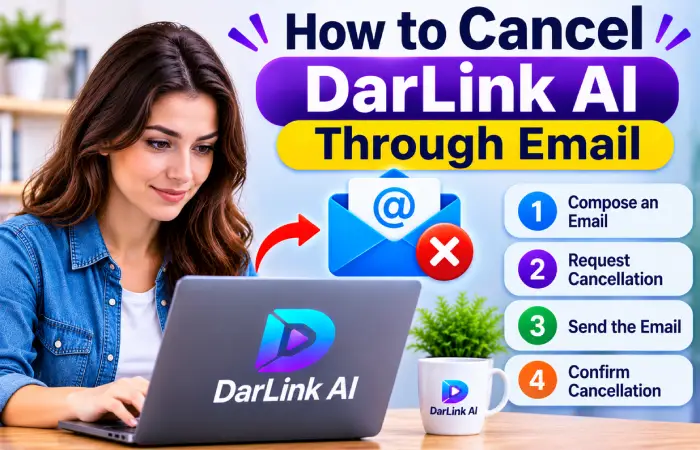
If you cannot find the cancellation option in your account or experience technical problems, contacting customer support is an alternative.
Follow these instructions:
- Open your email account.
- Create a new email addressed to support@darlink.ai.
- Use the subject line “Request to Cancel DarLink AI Subscription.”
- Include the email address associated with your DarLink account.
- Mention your subscription plan and payment date, if available.
- Clearly request cancellation of automatic renewal.
- Send the email and save a copy for your records.
Here is a sample cancellation message:
Subject: Request to Cancel DarLink AI Subscription
Hello DarLink Support Team,
I would like to cancel my DarLink AI subscription and stop all future automatic payments associated with my account.
My registered email address is [Your Email Address].
Please confirm that my subscription has been cancelled and that no further recurring charges will be made.
Thank you.
After submitting your request, DarLink states that its support team aims to respond within approximately 72 hours (three business days).
DarLink AI Cancellation Methods Compared
The following table summarizes the available cancellation routes.
| Cancellation method | Best for | What to do |
| Website account settings | Website subscribers | Check account and subscription settings |
| Email support | Missing cancellation options | Send a written cancellation request |
| Third-party billing provider | Purchases through an external platform | Manage the subscription through the original billing provider |
DarLink’s Terms of Service explain that website subscriptions can be cancelled through account settings or customer support. Subscriptions purchased through third-party platforms must be managed through the respective platform.
Does DarLink AI Offer Refunds After Cancellation?
Cancelling your subscription does not automatically mean you will receive your money back.
According to DarLink’s official Refund and Cancellation Policy, voluntarily cancelling a subscription does not qualify for a prorated refund for unused days or tokens. However, certain situations may qualify for a refund.
| Situation | Refund eligibility |
| Voluntary subscription cancellation | Generally not refundable |
| Accidental purchase or change of mind | Generally not refundable |
| Unauthorized or fraudulent payment | Eligible for investigation |
| Technical or billing error | Refund or account credit may be considered |
| Subscription terminated by DarLink without user fault | Prorated refund applies under the stated policy |
If you believe you qualify for a refund, email support@darlink.ai with your registered email address, transaction details and an explanation of the issue.
Remember that refund approval is separate from subscription cancellation. Request both if you need them.
What Happens After Cancelling DarLink AI?
Once your cancellation has been processed, your subscription should stop renewing.
However, cancellation does not necessarily mean immediate account termination.
According to DarLink’s official policy:
- Your premium access remains available until the current paid billing period ends.
- Your subscription will not renew after the cancellation takes effect.
- Unused subscription tokens are not refunded when you voluntarily cancel.
- Your account does not automatically need to be deleted when you stop your subscription.
If you want to remove your account completely, check the account deletion procedure separately. Cancelling a subscription and deleting an account are different actions.
Common DarLink AI Cancellation Problems and Solutions
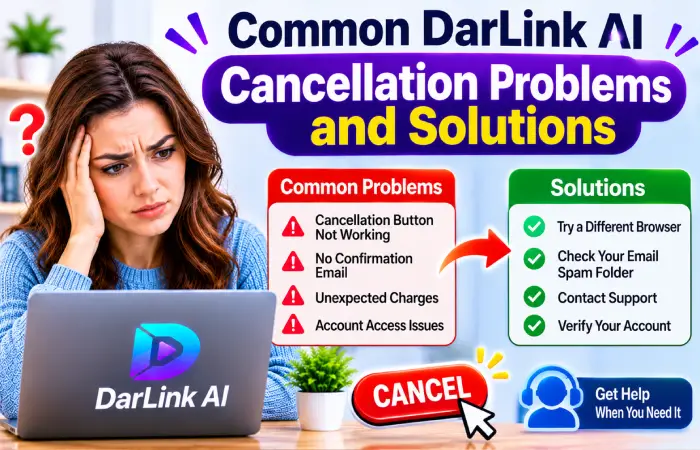
Sometimes users experience difficulties while trying to stop recurring payments. Here are some common issues and possible solutions.
Cancellation option is missing
Check your account settings carefully. If the cancellation option is unavailable, contact DarLink support directly through email and request written cancellation.
No response from customer support
DarLink states that cancellation and refund requests are generally reviewed within approximately 72 hours. If you do not receive a response after that period, send a follow-up email with your original request attached.
You received another subscription charge
Check whether your cancellation request was received before the renewal date. Contact support with your payment receipt, transaction reference and cancellation correspondence.
You cannot access your account
If you have forgotten your password, try the account recovery process. If you still cannot access your account, contact support using your registered email address and request cancellation.
Frequently Asked Questions
Can I cancel DarLink AI anytime?
Yes. DarLink allows users to cancel their subscriptions at any time. Cancellation prevents future renewals once the request has been processed.
What is the DarLink AI cancellation email address?
You can contact DarLink customer support at support@darlink.ai to submit a written cancellation request.
How long does DarLink AI take to process cancellation requests?
DarLink states that its support team aims to respond within approximately 72 hours, or three business days.
Will I lose premium access immediately after cancellation?
No. Your subscription generally remains active until the end of your current paid billing period.
Can I delete my DarLink AI account instead of cancelling?
You can request account deletion separately. However, account deletion and subscription cancellation are not interchangeable. Make sure recurring billing has been stopped.
Does DarLink AI automatically refund unused subscription time?
No. Its published policy does not provide prorated refunds for voluntary cancellations or unused subscription time.
Final Thoughts
Cancelling DarLink AI is relatively straightforward when you know which method to use. Start by checking your account settings, and if the cancellation option is unavailable, send a written request to support@darlink.ai.
Most importantly, retain your cancellation email and confirmation, check your next billing date, and verify that automatic renewal has stopped. Taking these precautions can help prevent unwanted subscription charges.
AUTHOR
Afiya Jafar is a technology writer with 5+ years of experience covering artificial intelligence, software, applications, gadgets, cybersecurity, cloud computing, internet technologies and emerging technology trends.
AUTHOR PROFILE →
REVIEWER
Sameena Begum is a **technology and digital content reviewer** who reviews selected articles to help ensure that information is presented clearly, accurately, and responsibly.
REVIEWER PROFILE →