
 Afiya Jafar
Technology & Digital Trends Writer
Afiya Jafar is a technology writer with
5+ years of experience covering technology,
digital trends, artificial intelligence,
software, gadgets, cybersecurity and
emerging technologies.
View Author Profile →
 Sameena Begum
Technology & Digital Content Reviewer
Sameena Begum is a **technology and digital content reviewer** who reviews selected articles to help ensure that information is presented clearly, accurately, and responsibly.
View Reviewer Profile →
When you often print (whether it’s color documents, photos, homework assignments, or business materials), HP Instant Ink could be a good fit for you. It’s a subscription that takes the hassle of purchasing cartridges out of printing with a small, monthly fee based on pages printed.
But it may not be the most economical choice for everyone. For example, if you only need to print a few pages now and then, you might save by buying standard- or high-yield cartridges on a one-off basis.
How HP Instant Ink works
With HP Instant Ink, we keep an eye on your ink levels and automatically ship ink cartridges when you’re running low.
This is how it works:
- Select a plan: Pick a plan based on the anticipated monthly pages you plan to print.
- Link your printer: Register an eligible HP printer and connect it to the internet.
- HP ships the service with custom-designed cartridges.
- Print normally: Your printer submits ink levels and page count to HP.
- Get replacements: Cartridges are sent out automatically when it’s time.
- Standard cartridges are different: you will pay for each plan’s page quota, no matter what use you make of the ink.
Furthermore, HP treats color and black-and-white pages as equal in their page-based ink plans. Thus, a printed photo and a doc of just text are charged the same number of pages.
Advantages of HP Instant Ink
There are several reasons why printer owners consider switching to a subscription.
Automatic ink delivery
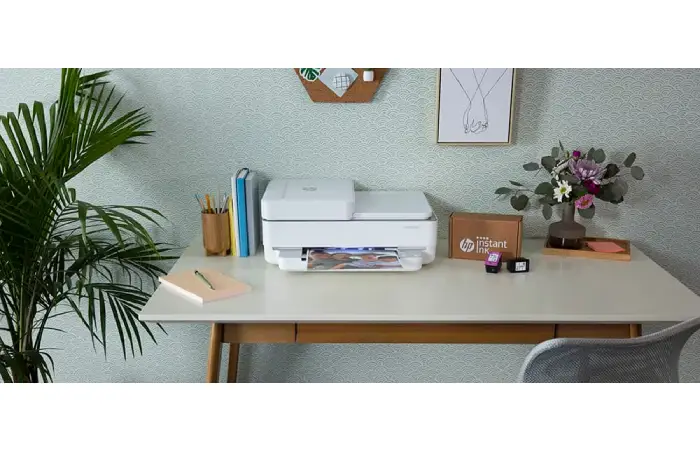
You don’t have to wait until your cartridge is nearly empty to order a new one. HP tracks how full your cartridge is and automatically ships new supplies when needed.
Great for people who use their printers for school work, office documents, or even the occasional personal page.
Predictable monthly expenses
You don’t have to purchase costly replacement cartridges once they are empty, but rather make a regular subscription.
A little easier to plan printing costs, especially for homes and small businesses which have constant printing demands.
Leftover pages can carry forward
If you did not use all your monthly allowance, unused pages can rollover to the next billing period.
Nevertheless, rollover balances have limits in accordance with your plan. Don’t ever be misled into believing that unused pages from the twelve are carried over by default.
Easy cartridge recycling
HP offers cartridge collection in participating countries. Simply drop your used HP subscription cartridges into ordinary household waste if they are not recyclable in your area.
Disadvantages you should consider
HP Instant Ink has its shortcomings, too.
- You have to pay for every month, regardless of how little you print in a month.
- The printer that you register on the service is required to be connected to the internet.
- Page-based billing: A portrait with a lot of ink coverage will usually be counted as one page, similar to a bare page.
- If you exceed your monthly allowance of pages or your available rollover pages, additional pages can be used, and you will be charged accordingly.
- Cartridge limits: Subscription cartridges are made for printers that are in the programme, and will disable after the last billing period of the subscription.
Not all HP printers are compatible with Instant Ink.
It’s vital to note that the low published subscription charge doesn’t essentially imply that printing prices will probably be lower.
HP Instant Ink vs. buying regular cartridges
The biggest question is whether paying monthly is better than purchasing replacement cartridges individually.
| Factor | HP Instant Ink | Regular cartridges |
|---|---|---|
| Payment | Recurring subscription | Pay when needed |
| Ink delivery | Automatic | Order manually |
| Page allowance | Based on plan | No subscription page allowance |
| Unused allowance | Limited rollover | No monthly page balance |
| Internet | Required for service | Not required for cartridge purchasing |
| Flexibility | Change or cancel plan | Buy cartridges when needed |
| Best suited for | Consistent printing | Occasional printing |
Who should consider HP Instant Ink?
HP Instant Ink is generally more attractive to:
-
Students: People who regularly print assignments, notes, and study materials.
-
Home offices: Users who need consistent access to documents and color printing.
-
Small businesses: Businesses that print invoices, forms, and marketing materials.
-
Photography enthusiasts: Users who frequently print photographs and other color-heavy documents.
It may be less attractive to occasional users, people with unpredictable printing habits, and those who prefer purchasing supplies without a recurring commitment.
Is HP Instant Ink worth it for occasional printing?
Not necessarily. If you’re only printing a few pages each month, then the subscription charge may be worth less than the extra time saved having the cart send you paper automatically.
Think about estimating your annual printing costs before signing up. Remember to account for time periods when you don’t print and will, therefore, accrue charges against the subscription.
What happens if you cancel HP Instant Ink?
Cancel via your HP Instant Ink account.
There is, however, one hitch to cancellation, as your subscription cartridges will no longer function after your last billing cycle. You’ll have to insert regular HP cartridges to print again.
HP also mentions that the last billing period will need to be completed so you may not be able to cancel the billing.
While waiting to cancel, watch out for your billing date, page balance, and cartridge availability.
Common problems and practical solutions
| Problem | What you should do |
|---|---|
| Ink shipment is delayed | Check your HP account and printer connection |
| Monthly bill is higher than expected | Review extra-page charges and rollover balance |
| You print fewer pages than expected | Consider switching to a lower plan |
| You frequently exceed your allowance | Compare the cost of upgrading your plan |
| Printer stops working after cancellation | Install regular compatible cartridges |
| Subscription is unavailable | Check regional eligibility and printer compatibility |
Keeping track of monthly usage can help prevent unnecessary expenses.
Frequently asked questions
Is HP Instant Ink cheaper than buying cartridges?
It may work out cheaper for regular printers – especially those who print a lot of colour documents. But it may be cheaper for the more occasional user to get a normal or XL ink cartridge.
Do HP Instant Ink unused pages expire?
Unused pages carrying over will do so, but the total balance will be capped based on your subscription plan. Any pages in excess of that cap will be not be carried over.
Can I cancel HP Instant Ink anytime?
Yes. Subscribers can cancel their subscriptions online with HP. Cartridges on the subscription will expire after the last billing cycle, so you will need to have cartridges on hand for printing.
Does HP Instant Ink count color and black-and-white pages differently?
No. Color pages and black-and-white pages each count as one page when you enroll in an HP page-based ink plan. Double-sided pages count as two pages.
Can you use HP Instant Ink without Wi-Fi?
No. The enrolled printer must be connected to the internet at the time of the ink delivery so that the printer can connect to HP’s service.
Can a small business use HP Instant Ink?
Best for: Businesses with a predictable printing pattern. With automatic deliveries and block billing, it’s easy to run out of supplies, but if you print a lot, look into the cartridge and toner subscription versus the subscription before purchasing.
Final verdict: Is HP Instant Ink worth it?
If you print frequently and the automatic cartridge refills or fixed prices appeals to you, HP Instant Ink can be worth your consideration. With the price you pay per page rather than for inks, it could be more appealing if you frequently print photos or color pages.
But the subscription isn’t suitable for everyone. Occasional users, those who print less than others and who object to a fee being debited automatically may prefer to stick to the standard and XL cartridges.
AUTHOR
Afiya Jafar is a technology writer with 5+ years of experience covering artificial intelligence, software, applications, gadgets, cybersecurity, cloud computing, internet technologies and emerging technology trends.
AUTHOR PROFILE →
REVIEWER
Sameena Begum is a **technology and digital content reviewer** who reviews selected articles to help ensure that information is presented clearly, accurately, and responsibly.
REVIEWER PROFILE →