
In the modern system of the fast digitalization, biometric identification has been integrated into the identity verification system as one of the parts of the security measures. Fingerprint-based authentication is fully employed by government programs to financial institutions due to its reliability and accuracy. Other biometric scanners such as the Morpho fingerprint scanners are among the most trusted biometric devices especially when used alongside the Morpho RD Service.
Morpho RD Service is an obligatory software element to allow the Morpho biometric device to operate safely with platforms of UIDAI compliance and other authentication solutions. Be it a CSC operator, bank correspondent or an organization implementing biometric verification, it is crucial to know how Morpho RD Service works to ensure uninterrupted operations.
It is a comprehensive how-to guide to Morpho RD Service, what it is, how it works, devices it supports, installation, troubleshooting, common problems, updates, and best practices, so that you would only need to reference one place of authority.
What Is Morpho RD Service?
Morpho RD Service (Registered Device Service) is an interface compulsory to UIDAI software that enables fingerprint scanners of Morpho to carry out biometric authentication in a secure and encrypted manner.
Unlike legacy biometric drivers, RD Service ensures that:
- Biometric data is encrypted at the device level
- Fingerprint images are never stored locally
- Each authentication request is digitally signed and time-stamped
Why RD Service Is Mandatory?
UIDAI introduced the Registered Device (RD) framework to eliminate biometric data misuse and replay attacks. Without RD Service:
- Aadhaar authentication fails
- Banking and e-KYC services do not function
- Devices are considered non-compliant
Key Functions of Morpho RD Service
Morpho RD Service acts as a secure bridge between the biometric hardware and authentication applications.
Core Responsibilities
- Device registration and validation
- Secure fingerprint capture
- Data encryption before transmission
- Compatibility with Aadhaar, banking, and e-governance portals
Functional Overview Table
| Function | Description |
| Device Authentication | Confirms device authenticity |
| Biometric Capture | Collects fingerprint data |
| Data Encryption | Encrypts data at hardware level |
| UIDAI Compliance | Meets RD framework requirements |
| Application Interface | Works with browsers and local apps |
Supported Morpho Devices
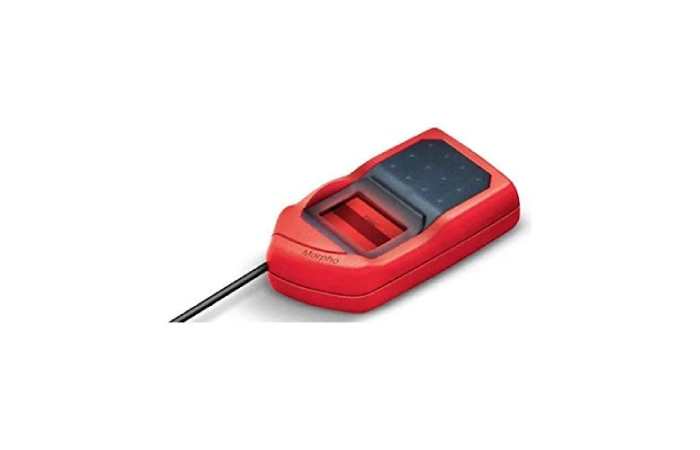
Morpho RD Service supports a range of popular fingerprint scanners commonly used across India.
Compatible Devices Table
| Morpho Device Model | Common Use Case |
| Morpho MSO 1300 E3 | Aadhaar & CSC services |
| Morpho MSO 1300 E2 | Banking & AEPS |
| Morpho MSO 1350 | Enterprise & financial use |
| Morpho MSO 300 | Legacy authentication |
Note: Each device requires the correct RD Service version to function properly.
Where Morpho RD Service Is Used?
Morpho RD Service is widely deployed across multiple sectors.
Major Use Cases
- Aadhaar authentication
- AEPS (Aadhaar Enabled Payment System)
- Digital banking services
- e-KYC verification
- Government welfare schemes
- CSC (Common Service Center) portals
Sector-Wise Usage Table
| Sector | Application |
| Banking | AEPS, micro-ATM |
| Government | Aadhaar, DBT |
| Telecom | SIM e-KYC |
| Healthcare | Patient verification |
| Education | Identity validation |
Morpho RD Service Architecture (How It Works)
Understanding the workflow helps diagnose issues quickly.
Authentication Flow
- Device connects to system
- RD Service initializes device
- Fingerprint is captured
- Data is encrypted instantly
- Encrypted packet sent to server
- Authentication response received
Process Summary Table
| Step | Action |
| 1 | Device detection |
| 2 | RD Service handshake |
| 3 | Biometric capture |
| 4 | Encryption |
| 5 | Secure transmission |
| 6 | Authentication result |
How to Download Morpho RD Service
Downloading the correct RD Service version is critical.
Pre-Download Checklist
- Confirm device model
- Check operating system (Windows / Linux)
- Remove older drivers
- Ensure admin access
Supported Platforms
- Windows 7, 8, 10, 11 (32-bit & 64-bit)
- Limited Linux support (for enterprise deployments)
Morpho RD Service Installation Guide (Windows)
Step-by-Step Installation
- Uninstall old Morpho drivers
- Restart the system
- Run RD Service installer as Administrator
- Follow on-screen instructions
- Plug in the Morpho device
- Verify service status
Installation Requirements Table
| Requirement | Details |
| OS | Windows 7+ |
| Browser | Chrome / Firefox |
| USB Port | 2.0 or higher |
| Permissions | Administrator access |
How to Check Morpho RD Service Status
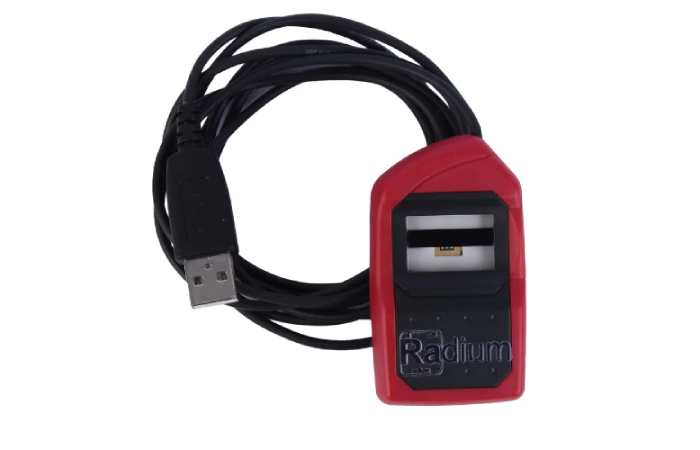
After installation, verifying the service ensures everything is working correctly.
Verification Steps
- Open browser
- Enter RD Service local URL
- Confirm device details are displayed
Expected Information
- Device serial number
- RD Service version
- Device status: Ready / Registered
Morpho RD Service Update Process
UIDAI frequently updates RD guidelines, making timely updates essential.
Why Updates Matter
- Compliance with UIDAI rules
- Improved security
- Bug fixes
- Enhanced device stability
Update Checklist
- Backup system
- Uninstall old RD Service
- Install latest version
- Restart system
- Test authentication
Common Morpho RD Service Errors and Fixes
Despite correct installation, users often encounter errors.
Frequently Reported Issues
- Device not detected
- RD Service not running
- Port blocked error
- Browser compatibility issues
- Authentication failure
Error Troubleshooting Table
| Error | Possible Cause | Solution |
| Device Not Found | Driver conflict | Reinstall RD Service |
| RD Service Not Ready | Service stopped | Restart service |
| Port Error | Firewall blocking | Allow local ports |
| Capture Failed | Dirty scanner | Clean device |
| Auth Failed | UIDAI downtime | Retry later |
Browser Compatibility for Morpho RD Service
Browsers play a critical role in RD Service performance.
Recommended Browsers
- Google Chrome (latest)
- Mozilla Firefox ESR
Browser Compatibility Table
| Browser | Compatibility |
| Chrome | Fully supported |
| Firefox | Fully supported |
| Edge | Limited |
| Internet Explorer | Not supported |
Best Practices for Stable Morpho RD Service Performance
Following best practices minimizes downtime.
Recommended Practices
- Keep RD Service updated
- Use original USB cable
- Avoid USB hubs
- Clean fingerprint scanner regularly
- Disable conflicting biometric software
Maintenance Checklist Table
| Task | Frequency |
| Device Cleaning | Weekly |
| Software Update | Monthly |
| System Restart | Weekly |
| Cable Check | As needed |
Morpho RD Service vs Legacy Biometric Drivers
Many users still confuse RD Service with old biometric drivers.
Comparison Table
| Feature | RD Service | Legacy Driver |
| UIDAI Compliance | Yes | No |
| Encryption | End-to-end | Partial |
| Security | High | Low |
| Aadhaar Support | Mandatory | Unsupported |
| Updates | Regular | Discontinued |
Security and Privacy in Morpho RD Service
It is the backbone of RD Service.
Security Features
- Encrypted biometric packets
- No local fingerprint storage
- Device-level authentication
- Tamper-proof communication
Privacy Compliance Table
| Aspect | RD Service |
| Data Storage | None |
| Encryption | Yes |
| UIDAI Certified | Yes |
| Replay Protection | Enabled |
Frequently Asked Questions (FAQs)
Is Morpho RD Service free?
Yes, RD Service is provided without cost for compatible devices.
Can one RD Service work for multiple devices?
No. Each device requires proper registration and compatibility.
Why does authentication fail even when RD Service is running?
Possible UIDAI server downtime, device mismatch, or outdated service version.
Is Morpho RD Service required for AEPS?
Yes. AEPS transactions mandate RD-compliant devices.
SEO-Centric Analysis: Why Morpho RD Service is of importance?
Morpho RD Service is not merely a driver it is an important compliance and security layer to biometric authentication. With the growing digital identity systems, RD Service guarantees:
- Trustworthy authentication
- Regulatory compliance
- Data privacy protection
- Reliable service delivery
In the case of operators and organizations that use biometric verification, it is vital to ensure that a functioning and up-to-date Morpho RD Service is in place to promote continuous operations.
Final Thoughts
Morpho RD Service is one of the key participants in the digital infrastructure of India, both Aadhaar authentication and banking transactions. Knowledge of the installation, usage, troubleshooting, and security consequences will result in maximum performance and future compliance.
When your mission is to have a dependable biometric authentication and maximum uptime, then spending time on adequately managing Morpho RD Service is not optional but a necessity.